top of page
Reimbursement Process

Step 1: login to your eMA education Market Assistant

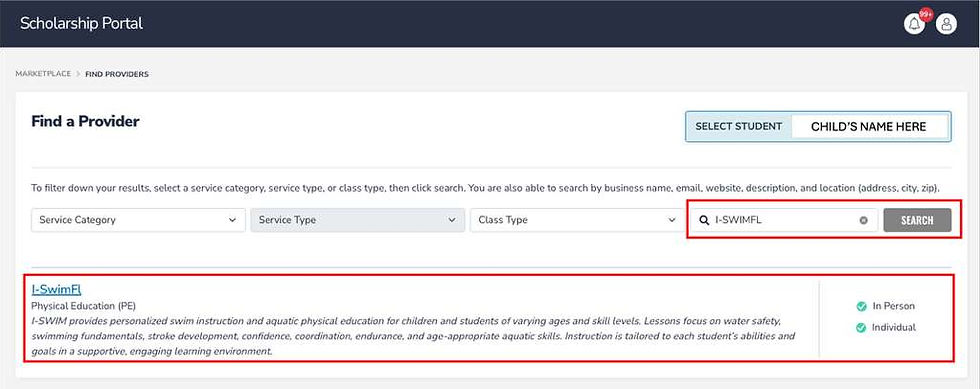
Step 2: on the left, click into Marketplace

Step 3: click on 'find providers'

Step 4: select student

Step 5: in the search Area, type i-sWIMFL and click 'i-swimFL'
Step 6: select your location to view services

Step 7: add Quantity & add to cart

step 8: i-SwimFL reviews the submission and, once approved, deducts the funds from the student’s available balance.
bottom of page